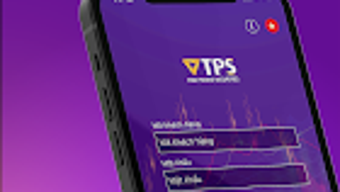

Download TPS Mobile – Trading App, Online Trading, Mobile Trading, Investment Tool, Finance Software
Overview
TPS Mobile is a mobile trading application developed by Tien Phong Securities Corporation (TPS) for Android users. Designed to support online investment and trading activities, the app aims to deliver a seamless and efficient experience for users seeking to manage their financial portfolios on the go. The primary purpose of TPS Mobile is to enable convenient access to stock market data, real-time trading capabilities, and comprehensive asset management through a mobile interface.
Target users include individual investors, traders, and finance professionals who require timely market insights and fast order execution. The app is particularly suited for those interested in active trading or long-term investment strategies within the financial markets. By offering smart login options such as password memory, fingerprint authentication, and faceID, TPS Mobile enhances both security and accessibility. The user-friendly interface supports intuitive navigation, allowing users to quickly access key functions like market updates, trade placement, and portfolio tracking.
Real-world usage scenarios include monitoring live stock prices during work hours, placing trades from remote locations, and reviewing investment performance after market close. The app also supports continuous updates on market and investment information, helping users make informed decisions based on current data. TPS Mobile is free to use, which makes it accessible to a broad range of users interested in finance and productivity tools.
Key Features & Capabilities
- Real-Time Market Data Access – Users can view live stock prices, trading volumes, and market trends directly from their mobile devices, enabling timely investment decisions.
- Smart Login Options – The app supports password memory, fingerprint authentication, and faceID for secure and convenient access.
- Intuitive Order Placement – Touch-optimized interface allows for fast and accurate order entry, including buy, sell, and stop-loss commands.
- Asset and Transaction Management – Comprehensive tools for tracking investments, viewing transaction history, and managing portfolios in a single dashboard.
- Dark and Light Mode Interface – Users can switch between visual themes to suit their preferences and reduce eye strain during extended use.
- Continuous Information Updates – Real-time notifications and data sync ensure users stay informed about market movements and investment changes.
- Regular Feature Enhancements – The developer continuously adds new utilities and improvements to enhance overall user experience.
These features collectively support efficient trading workflows, from initial research to trade execution and post-trade analysis. For example, a user can check market trends during a commute, place a trade using biometric login, and later review transaction history—all within the same app. The integration of security measures with usability ensures that even novice investors can navigate the platform with confidence.
User Interface, Workflow & Performance
The user interface of TPS Mobile is designed with simplicity and functionality in mind. The layout is clean, with clearly labeled sections and logical navigation paths that guide users through key functions such as trading, portfolio monitoring, and account settings. The app supports touch-based operations, which enhances usability on mobile devices.
Workflow efficiency is optimized through quick access to frequently used tools, including a dedicated trading panel and a centralized dashboard for asset overview. The interface adapts to user preferences with support for both dark and light modes, improving visual comfort across different environments. However, exact performance details were not specified by the developer.
General software behavior patterns suggest stable operation under normal conditions, though specific resource usage data such as CPU or RAM consumption was not provided. The developer did not specify resource usage details. Stability and responsiveness are expected to be consistent with standard mobile trading applications, particularly on devices meeting minimum Android requirements. No reports of crashes or freezes were mentioned in the available information.
Compatibility & System Requirements
TPS Mobile is designed for Android operating systems. The app was released on May 23, 2024, and is available for download on Android devices. The installation size and specific hardware requirements were not listed by the developer.
Compatibility information was partially provided, indicating that the app is intended for Android users. The developer did not specify exact system requirements, such as minimum Android version, RAM, or processor specifications. Users are advised to ensure their device meets standard Android app compatibility standards. No information was provided regarding support for other platforms such as iOS or desktop systems.
Pros and Cons
Pros
- Free to use, reducing entry barriers for new investors
- Intuitive interface with support for dark and light mode
- Smart login options including fingerprint and faceID
- Real-time market and trading data updates
- Efficient order placement with touch-optimized design
- Comprehensive asset and transaction management tools
- Regular feature updates to improve user experience
Cons
- Exact system requirements were not listed
- Platform compatibility limited to Android
- Performance metrics such as CPU or RAM usage were not provided
- Information about offline functionality is limited
- No details on data encryption or security protocols
FAQ Section
Is TPS Mobile available for iOS devices?
The developer did not provide information about iOS compatibility. The app is confirmed for Android users only.
Is TPS Mobile secure to use?
The app supports biometric authentication methods such as fingerprint and faceID, which contribute to secure access. However, specific details about data encryption or security protocols were not disclosed.
Does TPS Mobile require an internet connection?
Yes, real-time market data, trading functions, and account updates require an active internet connection. The app may offer limited offline access to historical data, but this was not specified.
How often does TPS Mobile receive updates?
The developer states that new utilities and features are continuously added to enhance the user experience. However, the update frequency was not detailed.
Is there a license fee or subscription cost?
TPS Mobile is free to use. No subscription or license fees were mentioned in the available information.
Final Thoughts + CTA
TPS Mobile presents a compelling option for Android users seeking a reliable and accessible platform for online trading and investment management. With its user-friendly interface, smart login options, and real-time data access, the app effectively supports both novice and experienced investors in making informed decisions. The inclusion of dark mode, touch optimization, and continuous feature updates demonstrates a focus on user experience.
While some technical details such as system requirements and performance metrics are not available, the app’s core functionality is well-aligned with modern trading needs. Its free access model further enhances its appeal. For individuals interested in finance, productivity, and mobile investing, TPS Mobile offers a practical and efficient solution.
Download TPS Mobile now







